Minesweeper: Read the Clues, Clear the Board
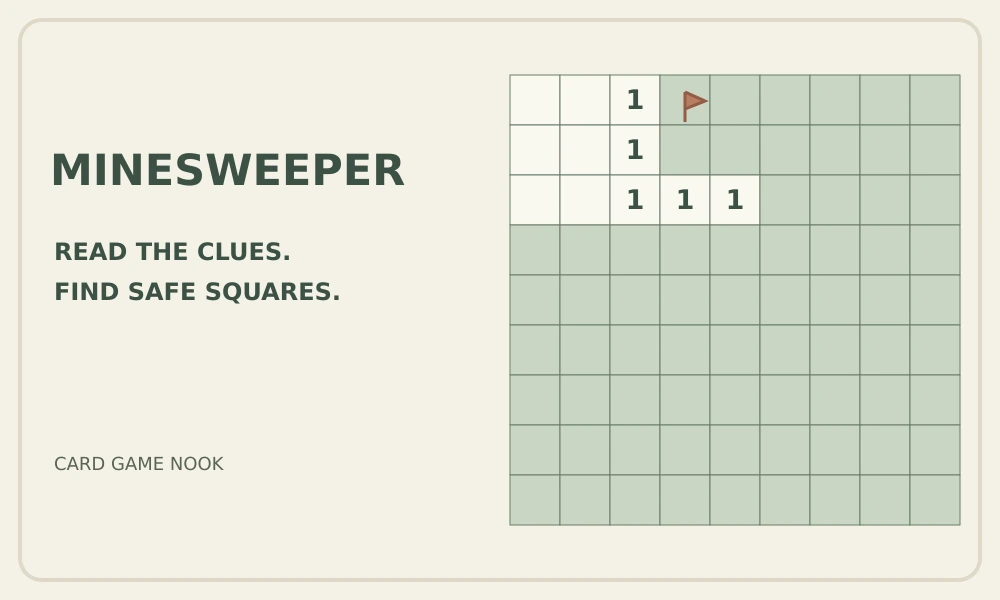
Minesweeper hides mines beneath a grid of covered squares. Open a square to reveal a number or an empty space; each number counts mines in the eight surrounding squares, including diagonals. Empty areas expand automatically, giving you more edges to investigate. Opening a mine ends the round, while revealing every non-mine square wins. This Card Game Nook game is a companion for fans of number logic, not a 2048 variant: there are no tiles to slide or merge.
Build each move from the clues already visible. If a number has exactly that many covered neighbors left, all of those neighbors contain mines. If its mines are correctly accounted for, the remaining neighbors are safe. Compare overlapping groups around nearby numbers when one clue is not enough. Flags help record deductions, but placing a flag does not prove a square contains a mine, and you do not need to flag every mine to win.
Click or tap a covered square to open it. On a mouse, repeated right-clicks cycle through a flag, a question mark and an unmarked square; on touch screens, use Flag mode to mark suspected mines. Clicking an opened number when its adjacent flag count matches the number opens its remaining covered neighbors. This shortcut trusts your flags rather than checking their accuracy, so an incorrect flag can cause a mine to open.
Choose Beginner for a 9×9 board with 10 mines, Intermediate for 16×16 with 40, or Expert for 30×16 with 99. Mines are placed after your first click, excluding that square and its neighbors, so the opening is safe and reveals an area. New game starts another round. Hint points out one move justified by visible clues when it finds one; it does not guarantee every board can be solved without guessing. The English interface also shows time and game statistics.